Meet Fastvue Syslog
A simple, unlimited, and completely free Syslog Server for Windows.
Why log to text files?
A simple, unlimited and free syslog server for Windows.
We know that logging syslog to text is still a huge pain. And while there are hundreds of solutions out there that collect, analyze, and log syslog data, they’re either too technical, difficult to set up and learn, or prohibitively expensive. Fastvue Syslog delivers a simple way for you to log all your syslog data in one place — without paying a cent.
Syslog to text
Detect incoming syslog data and automatically log the messages to organized text files.
Syslog forwarding
Easily forward syslog messages to other syslog servers. You can keep using your other syslog apps alongside Fastvue Syslog — even if your devices only support a single syslog server.
Log statistics
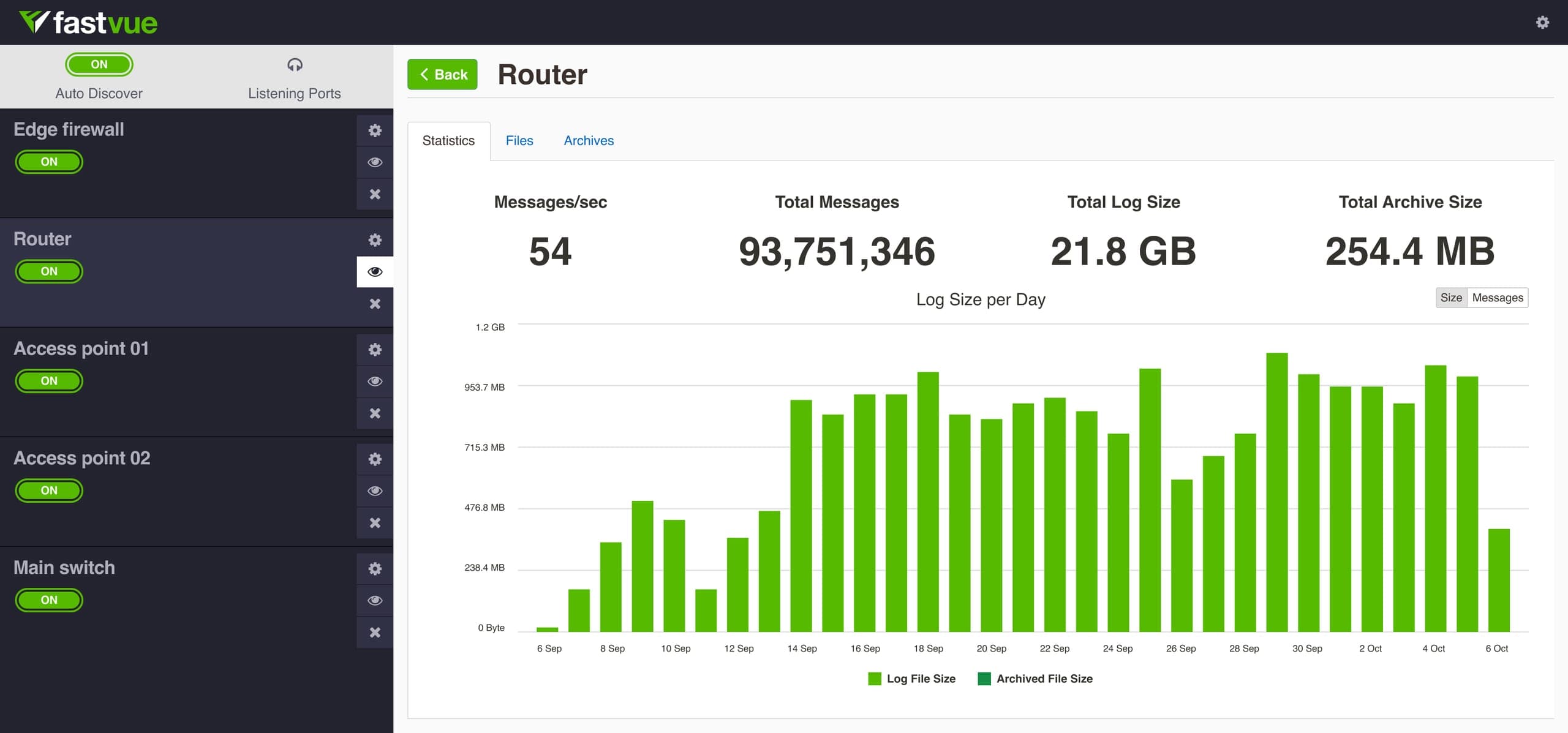
Easily see the size of logs and archived logs, overall and per device.
API
Programmatically retrieve statistics, logs, and make settings changes via the Rest API. Read the API documentation
Automatic archiving
Fastvue Syslog Server automatically zips logs older than 30 days (configurable) and moves them to an archive folder, reducing disk space requirements.
SHA256 file validation
Automatically generate a SHA256 hash file for each log for validation.
Simple web interface
Access logs and archives, and configure Fastvue Syslog with an intuitive web interface.
Open source UI
Make changes to the User Interface by cloning our open source GitHub repo.
Set it up fast
- Set your listening ports
- Set the log and archive paths
- Fastvue Syslog then automatically discovers any syslog sources
- That’s it — you’re done!

Simple, unlimited, and free. We mean it.
Start logging and organizing all your syslog data on Windows, right now, for free.
Technical FAQs
No. Fastvue Syslog simply collects syslog messages, logs them to text files, then zips and archives logs older than 30 days (the default date range). You can then import these text logs into a log analysis and reporting application such as WebSpy Vantage.
No. Fastvue Syslog only listens for syslog messages on the listening ports you specify (514 by default). It doesn’t connect to databases, Windows event logs, or APIs. It deals with syslog — nothing more, nothing less.
Fastvue Syslog shows statistics on the number of messages and the size of logs collected each day, but it doesn’t provide a log viewer or filtering interface. Just open the text logs in your favorite text editor or ‘tail’ application.
Fastvue Syslog installs a Windows Service that listens for syslog messages and writes them to text. The service is configured via a web interface that runs on port 47279. The first time you access the web interface, you’re presented with the options to set the log and archive paths, listening ports, and a username/password for the web interface. You can also edit these options via the cog button in the top right corner of the application. Once configured, logs magically appear in your logging location.
See the Getting Started Guide for more information.
Does Fastvue Syslog analyze or report on syslog data?
Does Fastvue Syslog collect data other than syslog?
Does Fastvue Syslog show log messages as they come in?
How does Fastvue Syslog work?
Have another question? Visit our support section for more information.
WebSpy Vantage
Reporting on syslog text files

Fastvue Reporter
Why not skip logging and jump straight to clear, comprehensive reports?